Guides
What Is a Mobile Proxy? How It Works and When to Use One
What is a mobile proxy, and why would you need one instead of a regular internet connection? A mobile proxy routes your online traffic through a real cellular network, giving your requests a mobile carrier IP address rather than exposing your original public IP.
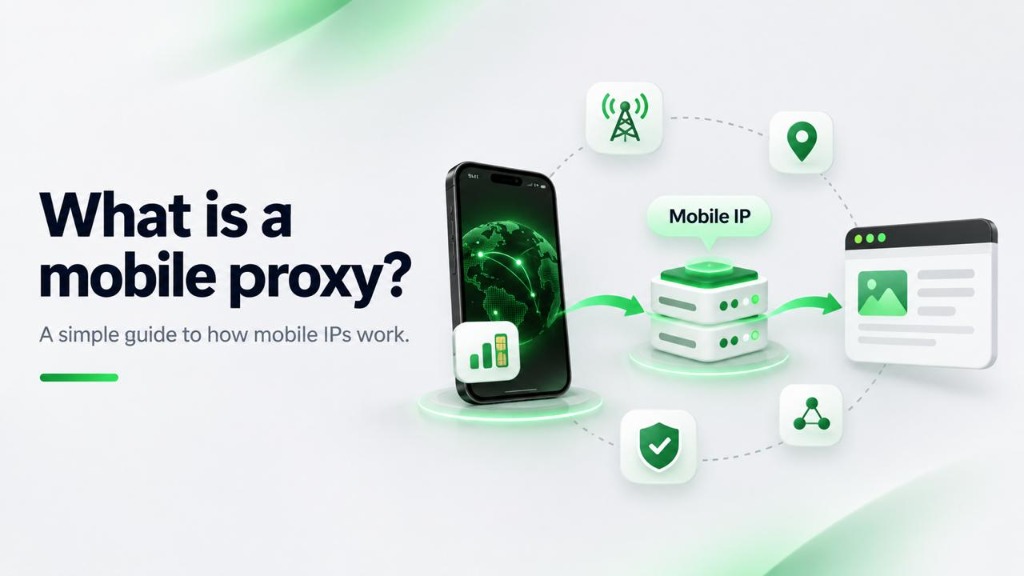
What is a mobile proxy, and why would you need one instead of a regular internet connection? A mobile proxy routes your online traffic through a real cellular network, giving your requests a mobile carrier IP address rather than exposing your original public IP.
This difference matters when websites treat traffic from mobile networks differently from requests originating in data centers or home broadband connections. For example, a business checking mobile advertisements in the United States may need a US mobile carrier IP to examine location-specific campaigns.
Mobile proxies are also used for web scraping, SEO monitoring, market research, and account management. However, they are not automatically the best choice for every task.
This guide explains how mobile proxies work, the differences between dedicated and shared connections, their advantages and limitations, and how to choose and configure one for your needs.
Key takeaways
- Mobile proxies route internet traffic through real cellular carrier networks, using mobile IP addresses rather than datacenter or home broadband IPs.
- Mobile carriers frequently use Carrier-Grade NAT (CGNAT), which allows multiple subscribers to share a public IPv4 address. This can influence how websites evaluate mobile traffic.
- Dedicated mobile proxies provide exclusive access to a modem or endpoint, while shared mobile proxies allow customers to use shared network infrastructure at a lower price.
- Mobile proxies are useful for ad verification, geo-specific research, web scraping, SEO monitoring, and workflows that require genuine carrier IP addresses.
- Mobile IPs can still be detected, challenged, or blocked. Connection quality, session stability, and website behavior matter just as much as the IP type.
What Is a Mobile Proxy?
A mobile proxy is an intermediary server that forwards your internet requests through a cellular connection, such as a 4G LTE or 5G network. Instead of seeing the public IP address assigned to your home, office, or server, the destination website sees an IP address associated with a mobile carrier.
A mobile proxy server usually connects to cellular infrastructure through equipment such as SIM-enabled modems, smartphones, or other devices capable of establishing mobile data connections. The provider manages the network equipment, while the customer connects to the proxy using credentials supplied through a dashboard or application.
Consider a simple example. You are sitting at your desk in Germany and need to check how a website appears to users connecting through a US mobile carrier. Rather than purchasing a SIM card and setting up a physical device in the United States, you can connect to a US mobile proxy.
Your request travels through the proxy connection, and the website receives it from the mobile carrier's public IP address.
The important distinction is the source of the IP, not the device you are using. A laptop or desktop computer can send requests through a mobile proxy just as a smartphone can.
How Do Mobile Proxies Work?
To answer the question "what is a mobile proxy?" from a technical perspective, it helps to follow an internet request from the user's computer to the destination website.
Normally, when you visit a website, your connection goes through your internet service provider, and the destination sees your public IP address. A mobile proxy changes that route by introducing an intermediary connected to a cellular network.
How traffic travels through a mobile proxy
A typical mobile proxy connection follows five steps:
- Your device sends a request. You open a website or run a tool configured to use a mobile proxy.
- The proxy gateway receives the request. Your connection reaches the provider's server, which checks the credentials and selects the appropriate endpoint.
- The request passes through mobile network equipment. A SIM-enabled modem or another cellular device forwards the traffic through a mobile carrier.
- The destination website receives the request. The website sees the public IP address assigned by the carrier rather than your original address.
- The response returns through the proxy. The website sends its response back through the connection to your device.
The proxy handles this routing without requiring you to manually change your computer's public network connection.
However, a mobile IP address does not mean the website automatically sees the same technical characteristics as a smartphone. Your browser, HTTP headers, cookies, and other connection details can still identify the software and device environment making the request.
What is Carrier-Grade NAT (CGNAT)?
Mobile carriers need to provide internet access to large numbers of subscribers, but the supply of public IPv4 addresses is limited.
Carrier-Grade Network Address Translation, or CGNAT, helps address this problem by allowing multiple customers to share a smaller collection of public IPv4 addresses.
For example, several smartphones connected to the same carrier might appear to websites under one public IP address, even though each phone belongs to a different person.
This creates an important difference between mobile and datacenter IPs.
If a website blocks a shared mobile IP address, it may also restrict legitimate customers using that address. Some websites therefore apply different IP reputation and blocking rules to cellular traffic.
That does not make mobile proxies impossible to detect. Websites can still identify unusual request volumes, suspicious account activity, automation patterns, and other signals unrelated to the public IP.
How does mobile IP rotation work?
Mobile IP rotation means changing the public IP address used for outgoing requests.
Some proxy services allow customers to request a different IP manually. Others change addresses automatically after a specified period, when a connection is renewed, or between requests.
Mobile carriers can also reassign IP addresses independently of the proxy provider, particularly when cellular sessions disconnect and reconnect.
For example, a market research tool collecting public information from multiple locations may benefit from changing IPs between collection jobs. Meanwhile, a workflow involving a logged-in dashboard might become unreliable if its IP changes in the middle of a session.
The key is knowing how much control your provider offers. A rotation command requests a change, but it does not necessarily guarantee a previously unused IP.
Sticky vs. rotating mobile proxy sessions
Mobile proxy services generally offer two approaches to session management.
Sticky sessions aim to maintain the same exit IP for a particular period. They are useful for processes involving several connected steps, including authenticated sessions, shopping carts, and multi-page research.
Rotating sessions change the exit IP between requests or at specified intervals. This approach can be useful for independent data collection jobs that do not require session continuity.
Some services offer both options, while others only support particular rotation methods.
Sticky sessions are also not a guarantee that an IP will remain unchanged for the entire requested period. Cellular disconnections, carrier changes, and equipment restarts can interrupt the connection.
What Are the Different Types of Mobile Proxies?
After answering "what is a mobile proxy?", the next decision is choosing how much control you need over the connection.
Mobile proxies can be classified by how the underlying connection is allocated and which cellular network technology it uses. Dedicated and shared access describe the service model, while 4G, LTE, and 5G describe the network technology.
Dedicated mobile proxies
A dedicated mobile proxy gives one customer exclusive access to an assigned mobile endpoint, often backed by a dedicated modem.
This arrangement is useful when you need control over the connection and do not want unrelated customers sharing the same assigned modem.
For example, an advertising agency may use a dedicated US mobile endpoint for repeated regional ad checks. Keeping access to the same equipment makes the connection easier to manage and troubleshoot.
Dedicated access does not necessarily mean a permanent public IP. Mobile carriers can still reassign addresses, and CGNAT may still be used.
Dedicated mobile proxies are generally more expensive than shared alternatives because the infrastructure is reserved for one customer.
Shared mobile proxies
Shared mobile proxies allow multiple customers to use common mobile network infrastructure.
The provider manages the equipment and allocates access without reserving an entire modem for every customer.
This reduces the cost of entry and can be suitable for occasional research, website checks, and tasks that do not require exclusive control over the underlying connection.
The tradeoff is that performance and IP availability may be affected by how the provider allocates shared resources.
When comparing shared mobile proxy services, check the concurrency rules, rotation controls, and whether the assigned endpoint stays consistent during your intended workflow.
4G, LTE, and 5G mobile proxies
Mobile proxies are also described by the generation of cellular technology supporting their connections.
4G mobile proxies use fourth-generation cellular networks. They are widely used for general web browsing, automation, and data collection.
LTE proxies operate through Long-Term Evolution networks, a major technology used in 4G connectivity. In commercial proxy listings, 4G and LTE are often described together.
5G mobile proxies use fifth-generation cellular networks, which can offer greater bandwidth and lower network latency under suitable conditions.
However, a 5G connection is not automatically faster for every proxy request. Signal quality, carrier congestion, gateway performance, geographic distance, and the destination website all influence the result.
For most buyers, the carrier location, session stability, and actual connection performance are more important than selecting a plan simply because it includes 5G.
What Are Mobile Proxies Used For?
The main reason to choose mobile proxies is access to an internet connection originating from a cellular carrier.
That distinction can be useful when the target website displays different information based on network location, treats mobile carrier addresses differently, or serves content intended for mobile subscribers.
Social media and account management
Businesses and agencies often manage multiple social media accounts for different brands, clients, or markets.
A mobile proxy can provide a separate carrier-backed connection for an account or working environment. Combined with isolated browser profiles, it can help prevent unrelated sessions from unintentionally sharing the same network configuration.
For example, an agency working with separate regional accounts may assign different proxy endpoints to different client environments.
However, mobile proxies do not prevent accounts from being suspended. Platforms consider login patterns, device fingerprints, automation behavior, policy violations, and other signals.
If an account is restricted, changing its IP address alone may not solve the underlying problem. Review the platform's notice, check account access and recent activity, and resolve the stated issue before continuing.
Web scraping and data collection
Web scraping involves collecting information from websites using scripts or automated tools.
Companies use it to gather publicly available product information, track inventory, compare listings, and study changes in online markets.
Mobile proxies can be useful when a project requires data from real mobile carrier IP addresses or when network origin affects the information returned by the target.
For example, a retailer studying mobile shopping experiences in different countries may collect permitted product information through mobile connections located in those markets.
Still, changing the IP address cannot fix every failed scraper.
If your script receives HTTP 200 responses but extracts empty prices, the problem may involve JavaScript rendering or incorrect selectors. A mobile proxy won't repair a broken parser.
Ad verification and location-based campaigns
Advertisers need to know whether campaigns appear correctly in their intended markets.
A company running mobile advertising in the United States might need to verify that its ads appear on the expected websites and that regional landing pages load properly.
A US mobile carrier connection provides a useful network perspective for that testing.
Teams can use mobile proxies to inspect geographic differences in advertisements, landing pages, and available content.
For accurate results, though, the proxy is only one part of the test. Device type, browser settings, advertising identifiers, and account context may also influence which advertisements appear.
SEO monitoring and SERP analysis
Search engine results can differ based on location, language, device type, and other factors.
SEO teams use proxies to collect search result data from different regions without relying exclusively on their local internet connection.
For instance, a business targeting customers in the United Kingdom may need to inspect search results from a UK network rather than from its headquarters abroad.
Mobile proxies are particularly relevant when the project requires carrier-origin traffic.
However, a mobile IP does not automatically reproduce mobile search results. The requesting browser or tool must also be configured for the device and search context being tested.
For large-scale SERP collection, residential or datacenter proxies may be more economical, depending on the target's access rules and the data required.
eCommerce and price monitoring
Online retailers regularly study competitor prices, product availability, shipping information, and regional promotions.
Mobile proxies can help researchers inspect how websites respond to visitors connecting from particular carrier networks or countries.
Consider a retailer comparing regional product listings across the United States, Canada, and Germany. Separate proxy locations allow the team to test each market's network perspective.
Not every price difference is caused by IP location. Currency preferences, cookies, account status, delivery addresses, and promotional rules may also affect what a customer sees.
Market research and competitor analysis
Market research often requires comparing digital services across different regions.
Researchers might investigate whether particular products are available in a country, how a localized website behaves, or which content appears to users on a given mobile network.
Mobile proxies can help teams conduct these checks without maintaining physical devices in every target location.
For reliable conclusions, the researchers should record the location, date, carrier, device configuration, and other conditions used during each test.
Mobile app and website testing
Development teams sometimes need to check how a service behaves when requests originate from cellular carrier networks.
Mobile proxies can support tests involving IP-based location handling, network-related access rules, and backend responses.
However, they do not fully reproduce the conditions of a physical smartphone on a cellular connection.
A proxy cannot independently simulate radio signal loss, battery behavior, handovers between cell towers, or all device-level network characteristics.
Those tests still require real devices or appropriate network testing tools.
Benefits and Limitations of Mobile Proxies
Mobile proxies offer advantages that other proxy types may not provide, but those advantages come with technical and financial tradeoffs.
Benefits of mobile proxies
Real carrier IP addresses
Mobile proxies use IP addresses associated with cellular networks. This is useful when the source of a request matters, particularly for mobile-specific research and verification.
Different IP reputation characteristics
Websites may treat carrier IP addresses differently from hosting-provider IPs because mobile subscribers frequently share public addresses. This can reduce some IP-based restrictions, although outcomes depend on the website and request behavior.
Location-specific access
Proxy providers may offer connections in different countries and, depending on their infrastructure, particular cities or carriers. This supports geographically focused testing and research.
Session and rotation options
Some providers allow users to keep an IP for a period or request an address change. These controls help match the connection behavior to the task.
Limitations of mobile proxies
Higher infrastructure costs
Real cellular connections require carrier service, network equipment, and ongoing maintenance. As a result, mobile proxies commonly cost more than datacenter alternatives.
Variable speed and latency
Cellular connections are affected by signal strength, network congestion, and routing. Performance can change during the day or between locations.
Less predictable IP assignment
Even with dedicated hardware, the mobile carrier may change the public address. Long-running jobs need to account for possible interruptions.
No guaranteed protection from blocking
Websites can still restrict mobile traffic based on IP reputation, request frequency, account behavior, or other detection signals.
A mobile proxy is worth its additional cost when a genuine carrier connection provides something your project needs. If you're collecting permitted data from a straightforward website at high volume, a less expensive proxy type may be sufficient.
Mobile Proxies vs. Other Proxy Types
The difference between mobile, residential, datacenter, and ISP proxies starts with where the exit IP address comes from.
Each type changes the public address visible to the destination, but the network behind that address influences performance, reputation, price, and session behavior.
Mobile vs. residential proxies
Residential proxies use IP addresses assigned to home broadband connections, while mobile proxies use addresses associated with cellular carriers.
Both can provide IPs that resemble ordinary consumer internet traffic.
Residential networks are commonly used for general web scraping, location-based research, and projects requiring access to large geographic IP pools.
Mobile proxies become more relevant when the project specifically requires cellular carrier traffic or when testing shows that mobile connections produce more useful results for the intended website.
Mobile vs. datacenter proxies
Datacenter proxies operate through server and hosting infrastructure rather than consumer cellular or home broadband connections.
They commonly offer high bandwidth, predictable server performance, and lower costs.
A datacenter proxy may be the more practical option for collecting large amounts of permitted public data from websites with straightforward access requirements.
Mobile proxies cost more but provide a different network origin that may matter for certain targets.
Mobile vs. ISP proxies
ISP proxies generally use IP addresses assigned by internet service providers while operating through server-hosted infrastructure.
They often provide comparatively stable IP assignments and consistent connectivity.
This makes them useful for workflows where retaining the same public address is more important than accessing a real cellular connection.
Mobile proxies are preferable when carrier network origin or cellular IP rotation is a specific requirement.
Proxy type comparison
Feature | Mobile | Residential | Datacenter | ISP |
|---|---|---|---|---|
IP source | Cellular carrier | Home broadband ISP | Hosting infrastructure | ISP-assigned, often server-hosted |
Typical speed | Variable | Variable | Often fast | Often fast |
IP rotation | Carrier- and provider-dependent | Provider-dependent | Provider-dependent | Often static |
Connection stability | Cellular-network dependent | Host-network dependent | Generally predictable | Generally predictable |
Relative cost | High | Medium to high | Low | Medium to high |
Common uses | Mobile ad checks, carrier-specific research | General data collection, regional research | High-volume collection, testing | Long-running sessions |
These are general characteristics, not fixed performance rankings. A well-managed residential connection may outperform a congested mobile connection, while a poorly configured datacenter proxy can perform worse than either.
The appropriate choice depends on your target, budget, and required connection behavior.
How to Set Up and Use a Mobile Proxy
You don't need a physical smartphone or extensive networking experience to start using a mobile proxy. Most commercial services provide a proxy endpoint and credentials that you can enter into your browser, script, or application.
The following process uses Premip as an example.
Step 1: Choose a proxy type and location
Start by determining whether you need dedicated or shared access.
Premip offers dedicated mobile endpoints starting from $15 per day and shared mobile endpoints starting from $5 per day. Both are billed per endpoint, with no per-GB overage on mobile plans. Daily checkout may include a short-term billing adjustment.
Select your preferred location and billing period before purchasing.
Step 2: Get your proxy credentials
Once you've created an account and selected a plan, open the Premip dashboard to access your connection details.
These generally include:
- Proxy hostname or server address.
- Port number.
- Username and password, or an allowed IP address for authentication.
- Connection protocol.
Keep your credentials private because anyone with valid access details may be able to use your allocated connection.
Premip notes that network activation can take up to 20 minutes, so allow activation to finish before running production requests.
Step 3: Configure an HTTP or SOCKS5 connection
Premip supports HTTP and SOCKS5 proxy connections, allowing you to use the service with compatible browsers, scripts, and third-party tools.
For a basic HTTP proxy test, open Terminal and run:
curl -x "http://USERNAME:PASSWORD@HOST:PORT" \
  "https://api.ipify.org?format=json"
Replace the placeholder values with the credentials displayed in your dashboard.
This command tells cURL to send the request through your configured proxy instead of making a direct connection.
For SOCKS5, use the appropriate proxy protocol in your connection settings. With cURL, socks5h:// can be used when you want hostname resolution handled through the proxy.
Step 4: Verify your mobile IP address
After connecting, check the public IP returned by your request.
Compare it with your ordinary connection to confirm that traffic is passing through the proxy.
You can also use an IP lookup service to examine the reported country, carrier, and autonomous system information. Location databases are not always perfectly accurate, so investigate unexpected results rather than assuming every lookup is authoritative.
If the connection fails, first check the credentials, hostname, port, proxy protocol, and activation status.
For a failed login or authentication error, verify the configured authentication method. If the proxy connects but the destination rejects requests, inspect the website's response before changing IPs.
How to Choose a Mobile Proxy Provider
Price is important, but a cheap connection is not a bargain if it frequently disconnects or provides the wrong type of IP address.
Before purchasing, evaluate the following factors:
- Mobile carrier authenticity: Verify that the exit addresses are associated with the mobile networks being advertised. An ASN lookup can help, although carrier classification databases may differ.
- Location coverage: Check the actual countries available and whether the provider supports the level of geographic targeting you need. Do not assume country availability means city-level or carrier-level selection.
- Dedicated or shared access: Determine whether your task requires exclusive modem access or can operate on shared infrastructure.
- IP rotation and session controls: Review whether rotation is manual, scheduled, or request-based. Ask how long an IP can typically remain assigned and what happens during carrier disconnections.
- Pricing and traffic: Check whether billing is based on endpoints, bandwidth, time, or some combination. Also review concurrency limits and any fair-use conditions.
- Documentation and support: Clear configuration instructions, troubleshooting guidance, and accessible technical support can prevent significant delays.
- Network sourcing: Look for information about how the provider obtains and manages its carrier connections and whether it documents acceptable usage.
For example, Premip offers dedicated and shared 4G/5G/LTE mobile proxies, manual IP rotation, HTTP and SOCKS5 access, and mobile plans without per-GB overage.
Its endpoint-based model can be useful for teams that want to understand their connection costs without calculating a separate charge for every gigabyte transferred.
The right provider should fit your technical requirements, not just offer an attractive starting price.
Are Mobile Proxies Safe and Legal?
Mobile proxies are legitimate networking tools used for testing, research, privacy, and business applications. However, using a proxy does not automatically make an activity lawful or permitted by a website.
Requirements depend on the jurisdiction, the information being accessed, the purpose of collection, and the website's terms. Personal data collection and automated access may create additional obligations.
Security also deserves attention.
A proxy provider carries your traffic, making the provider's infrastructure and data-handling practices important. Use HTTPS for sensitive website connections and remember that SOCKS5 alone does not encrypt application data.
Never publish proxy passwords in public repositories or screenshots. For production projects, store credentials securely and restrict access to people who need them.
Be cautious with free mobile proxies as well. Some services provide little transparency about IP sourcing, logging, user consent, or network ownership.
Before handling sensitive information, review the provider's privacy terms, sourcing practices, and authentication controls.
Final Thoughts: When Should You Use a Mobile Proxy?
Understanding "what is a mobile proxy?" is useful, but the real decision comes down to whether your work requires a cellular carrier connection.
Mobile proxies make sense for regional mobile ad checks, carrier-specific research, certain data collection projects, and workflows where mobile network origin matters. They offer useful IP and session options, but they also introduce higher infrastructure costs and the variability of cellular networks.
If your project only needs fast, inexpensive access to publicly available data, a datacenter or residential proxy may be a better fit.
If real mobile IPs are important, start by choosing between dedicated and shared access, checking your required location, and testing the connection against your actual workload.
Explore Premip mobile proxies to compare dedicated and shared endpoints, review pricing, and select the connection that suits your project.
Frequently Asked Questions About Mobile Proxies
Can mobile proxies be detected?
Yes. Websites can identify mobile carrier networks and can still detect suspicious requests through behavioral signals, browser characteristics, request frequency, and other information. Mobile IP addresses may face different IP-based restrictions from datacenter IPs, but they do not guarantee unrestricted access.
Can I use a mobile proxy on a computer?
Yes. Mobile proxies work with compatible applications on Windows, macOS, Linux, and other systems. Your computer connects to the proxy gateway, while the provider handles the cellular connection. You do not need a SIM card or smartphone on your own desk.
Do mobile proxies change your IP address?
A mobile proxy changes the public IP address seen by destinations for traffic routed through it. Some providers also allow you to request another exit IP. This does not change your device's underlying internet connection or automatically route applications that have not been configured to use the proxy.
Are mobile proxies faster than residential proxies?
Not necessarily. Mobile connection speeds depend on cellular signal quality, carrier congestion, available bandwidth, and network routing. Residential broadband may offer more predictable performance in some circumstances. The best way to compare them is to test both against your actual target and measure response times.
What is the difference between a mobile proxy and a VPN?
A mobile proxy forwards configured traffic through a cellular carrier connection. A VPN creates an encrypted tunnel between your device and a VPN server, often routing a broader set of device traffic. A VPN can use different kinds of exit networks, while a mobile proxy specifically provides a cellular carrier IP.
What is the difference between dedicated and shared mobile proxies?
Dedicated mobile proxies provide exclusive access to an assigned modem or endpoint, while shared mobile proxies use infrastructure available to multiple customers. Dedicated access generally costs more but gives greater control over the allocated connection. Shared access can be more economical for tasks that do not require exclusive hardware.
Are free mobile proxies safe?
Not all free proxy services operate under the same standards, but unknown providers can present significant privacy and security risks. Some may log traffic, provide unreliable connections, or use IP addresses without clear sourcing. Avoid sending sensitive credentials or business information through a provider you cannot evaluate.